Shiftwall
Moves a FortiGate configuration to a different model, offline, plus a sysadmin toolbox. One Windows exe.
What it is
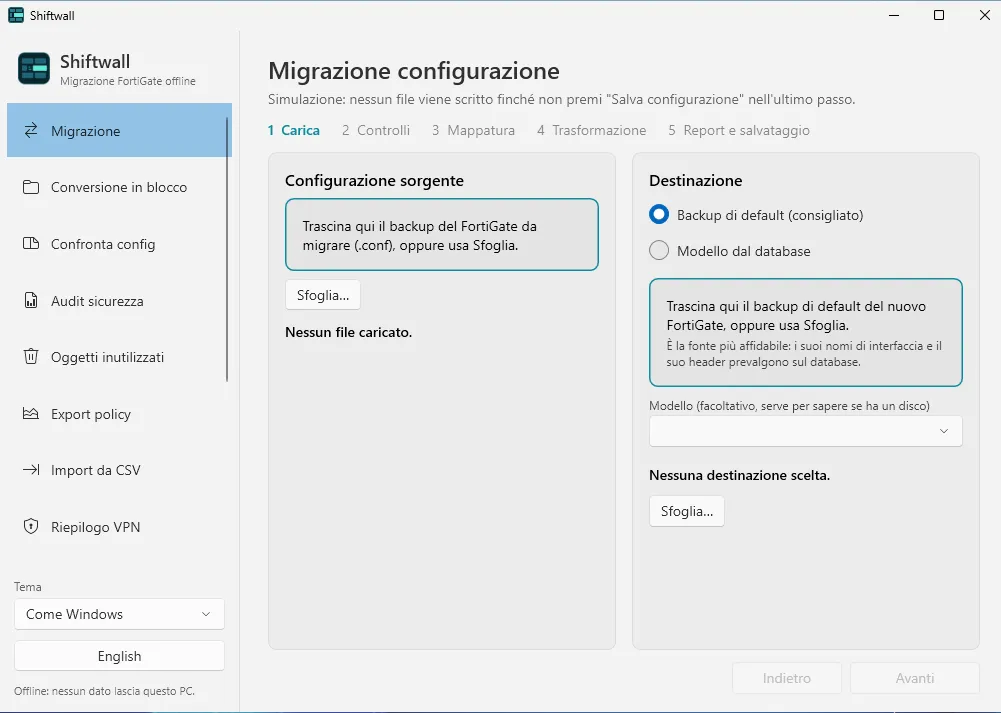
Replacing a FortiGate with a different model means renaming interfaces in hundreds of places, fixing the header and checking that nothing points to ports the new unit doesn’t have. Shiftwall does it in a guided wizard, shows every change before writing anything and never touches encrypted secrets. It runs entirely offline: configurations never leave your PC.
Migration
Five steps: load, pre-checks, interface mapping (by name or drag and drop),
transform, report and save. Interfaces are renamed in every reference and every
VDOM. At the end you get a before/after diff, an HTML report and a checklist of
things to do by hand. ENC values (passwords, keys) are copied unchanged and
checked. Mappings can be saved, and several sites can be converted at once, in
simulation mode too.
Toolbox
Config comparison, a security audit with 23 rules from Fortinet’s Best Practices and RFCs, unused objects with a script to delete them, policy export to Excel or CSV, import from CSV, an IPsec VPN summary, anonymizing a configuration to share it, and a CLI snippet generator.
Worth knowing
- Both units must run the same FortiOS version.
- Every model datum comes from an official Fortinet source; unverified ones are flagged.
- This is version 0.1.0, still a pre-release: always test in a lab before production. Shiftwall is not affiliated with Fortinet.
Download
The button above downloads Shiftwall.exe: no install, no administrator
rights, Windows 10/11 64-bit. The exe isn’t signed, so SmartScreen warns you:
“More info → Run anyway”. Before opening it you can check it’s intact in
PowerShell:
(Get-FileHash .\Shiftwall.exe -Algorithm SHA256).HashIt must print
AA233C511E1A84DC16A1A71B78BB218B515F3672A84ABD82C7AE84768E6F146A.
GPL-3.0 licence.