Vetro
Translates what's on your screen and what you say, between Italian, English, Russian and Ukrainian, fully offline.
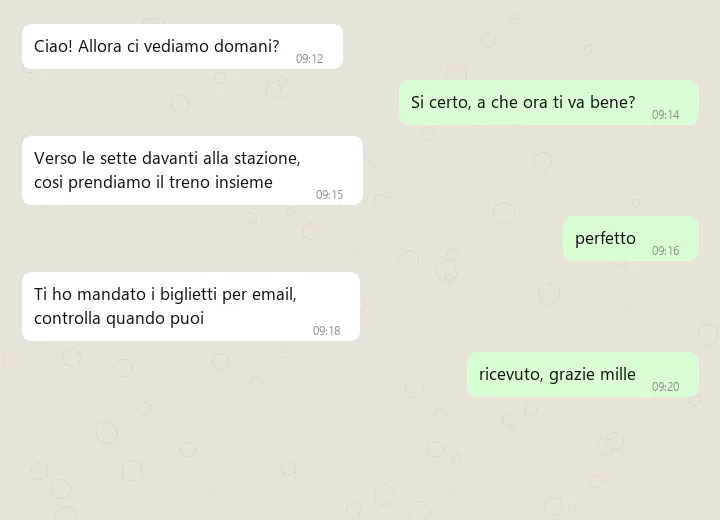
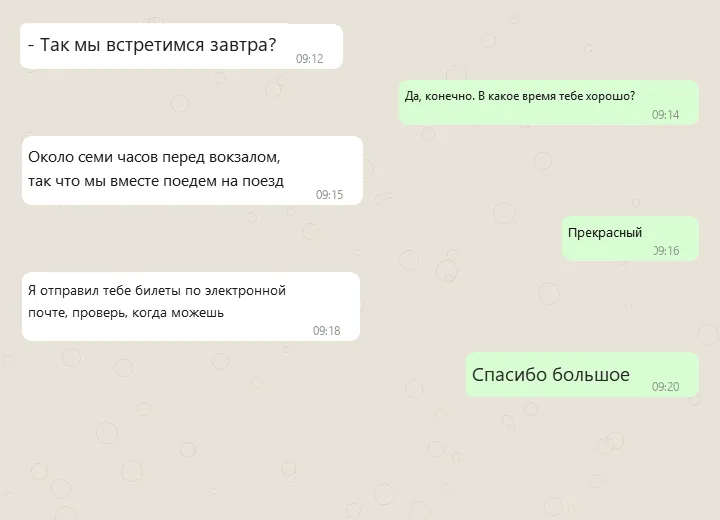
What it does
Vetro (“glass” in Italian) reads whatever is on your screen — WhatsApp, Telegram, YouTube comments, TikTok, X — and paints the translation back in place: same bubble, same colour, same size, timestamps untouched. It also listens to your microphone and writes what you say into a translation log, so you can speak Italian and copy out Russian.
Everything runs locally: no account, no API key, no network traffic after the first model download.
Why it looks right
Most screen translators dump a block of text over the window and wreck the layout. Vetro is built not to. It regroups lines into messages before translating, so a sentence that wraps stays one sentence. It pulls out timestamps, ticks, links and mentions before translation and puts them back byte for byte. It samples the colours of each bubble and fits the font to the space it replaces, without ever spilling out of the bubble.
Why it keeps up
Re-reading and re-translating every frame would crawl. Vetro first asks three cheap questions: did anything change? Was it just a scroll? Have I read this line before? A still screen costs about a millisecond, a scroll moves the existing translation immediately, and translations stay in a SQLite cache that survives restarts.
Technical choices
Python with a PySide6 interface. Text is detected and read with PP-OCRv5 models in ONNX format, one for Latin script and one for Cyrillic. Translation uses NLLB-200, which goes straight from one language to another without a detour through English; speech uses faster-whisper. For a more natural translation it can route through a local language model in LM Studio.
Status
Finished, for Windows and Linux; I may update it later. On Linux the screen side needs X11, not Wayland. The code is MIT-licensed and the models have their own licences: NLLB-200 is non-commercial only.