Disegno
Turns a photo into a drawing, then draws it with your mouse inside any app, from Paint to Roblox.
What it does
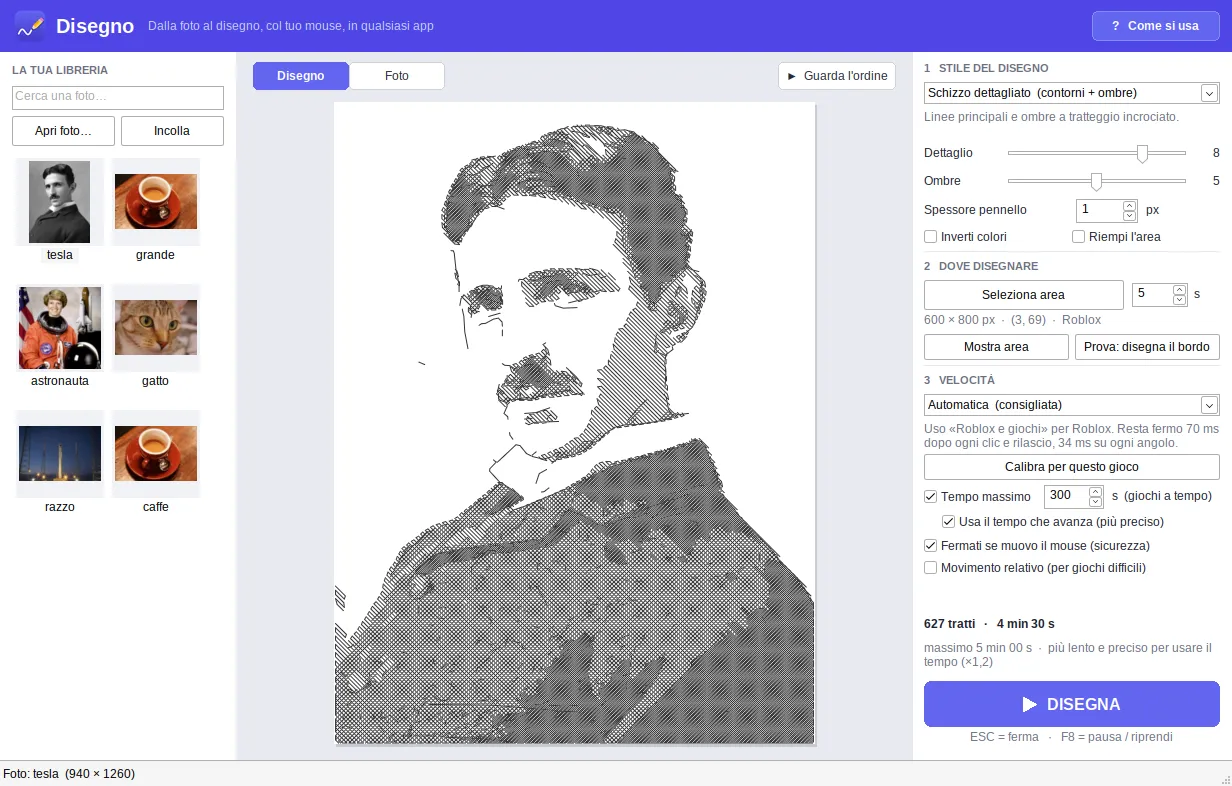
Pick a photo and Disegno (“drawing” in Italian) turns it into lines and shading. Then it takes over the mouse and draws it by itself in whatever app you like: Paint, Photoshop, Krita, sites like skribbl.io and Gartic Phone, Roblox drawing maps. Any program where you draw by holding the left button.
There are five styles (outlines, sketch, hatching, dots, lines) and a preview that shows exactly what will be drawn, with the number of strokes and the estimated time. Every photo you use stays in a local library, along with the last settings you used for it.
The problem with games
Drawing in Paint is easy: the mouse goes where it should. Games are different. Roblox looks at the mouse once per frame and joins the positions it sees with straight lines, and it often notices clicks a few frames late. If the mouse moves on right after a release, the game thinks the button is still down and draws long lines across the whole picture.
Disegno deals with that: after every click and release the mouse holds still for 70 ms, it jumps from corner to corner of each stroke and rests about two frames on each one, and it waits for the game to register the input before moving on. Calibrate for this game draws six rows of dashes with different pauses, looks at the screen and picks the fastest row that came out clean.
In timed rounds, Time limit lowers the detail just enough to finish within the seconds you have.
Technical choices
It’s written in C++17 against the Win32 API, with no external dependencies: the executable is about 2 MB. The engine (photo to strokes, stroke order, mouse movement plan, time estimate) is separate from the Windows app and has its own tests. To test it I wrote a canvas that imitates a game: frame rate, stutters and late clicks are configurable, and the result is compared with the preview.
The photo library is a local SQLite database. Disegno sends nothing over the internet: it only connects if you paste an image link, to download it.
Status
In progress. It’s on GitHub Releases as an MSI installer or a portable exe, for Windows 10 and 11. Some online games forbid automation tools, so check the game’s rules before using it.